HiSense Smart TV Remote
NabaHouse & Home
4.7882.00 Reviews
- Version
- 7.0
- Installs
- 500.00K
- Age Rating
- Everyone
Screenshots
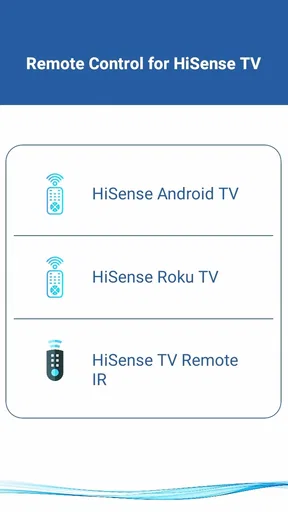
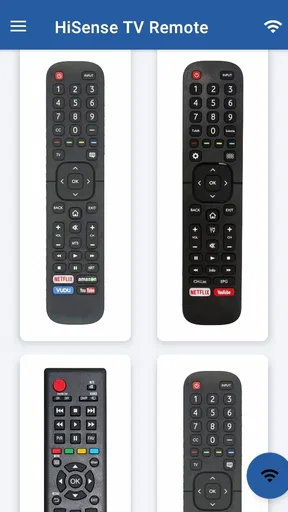
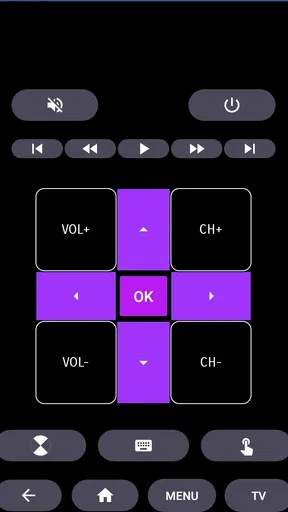
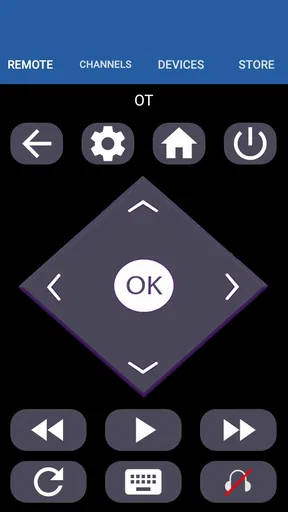
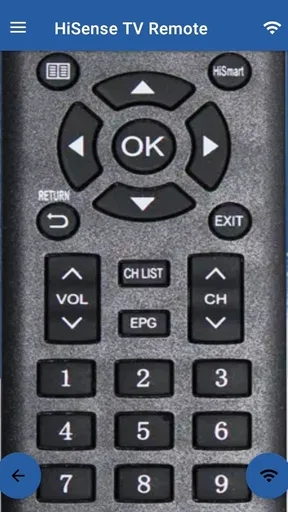
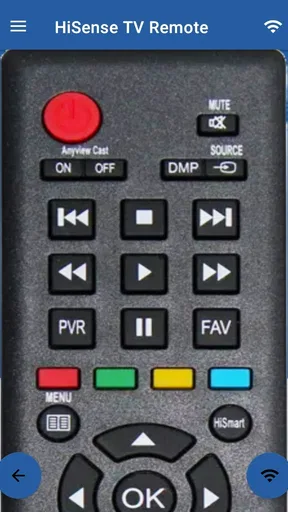
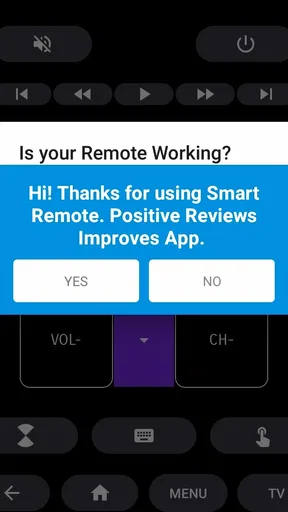
Our Review of HiSense Smart TV Remote
 Analysis by Appyee
I found HiSense Smart TV Remote most useful in a very ordinary situation: the television remote had disappeared between the sofa cushions, and I wanted a simple way to change the volume without turning the room upside down. This free House & Home app from Naba turns a compatible phone into a remote for a HiSense Smart TV. That sounds narrow, and it is, but the narrow focus is also its main strength. I do not have to learn a broad smart-home system just to handle basic television controls.
After spending time with it, my opinion is fairly clear. It is a practical backup for people who already own a HiSense television and want a phone-based alternative, especially when the physical remote is misplaced or uncomfortable to use. It is less convincing as a complete replacement for a dependable hardware remote, because the experience depends on the phone, the television, and the way both devices communicate. The app is best understood as a convenient second remote, not a guaranteed cure for every television-control problem.
How the app feels to read and navigate
The first thing I notice with a remote-control app is whether I can understand it quickly while looking away from the phone. A television remote is normally used by touch and memory, so a phone interface has to make its controls visually obvious. HiSense Smart TV Remote benefits from being dedicated to one television brand rather than trying to combine dozens of unrelated devices in one crowded dashboard.
That focused approach can make the basic task feel less intimidating for someone who does not enjoy adjusting complicated technology. The app’s purpose is immediately understandable: it is there to help control a HiSense Smart TV. I would recommend opening it and checking the layout before an urgent moment, such as when the remote battery has died. That small preparation makes the app more useful because you already know where the main controls are.
Readability is not only about the size of text. It also involves finding the important action without hesitation. In everyday use, volume, channel movement, power, and navigation are the controls I look for first. A phone screen can show these in a more organized way than a physical remote covered with tiny buttons, but it can also introduce a problem: the smooth glass surface does not provide the same tactile landmarks. I can see a control, yet I cannot always locate it by feel.
For users with reduced vision, the phone’s own display settings may help make the interface easier to inspect, but the result will depend on the device and operating system. I would not assume that increasing system text will enlarge every control inside the app. The safest approach is to test the app in a calm setting, with the television on, and decide whether the buttons remain easy to distinguish at the brightness and text size you normally use.
Navigation also depends on attention. If I am watching a film in a dark room, a bright phone screen may be distracting, while a dim screen may make the controls harder to see. This is a small but real trade-off. A physical remote is usually easier to operate without adding another illuminated screen to the room. The phone is more flexible, but flexibility is not the same as simplicity in every moment.
One useful habit is to keep the app in a predictable place on the phone rather than searching for it each time. I would also avoid opening several unrelated remote apps, because switching between them can create confusion about which device is currently selected. With a dedicated app such as this, a consistent routine matters more than elaborate customization.
What the focused design means for everyday users
Someone who rarely uses smart-TV menus may appreciate the direct purpose. A family member can be shown where the app is and how to use it without explaining a whole home-automation platform. That is particularly helpful when the original remote is shared by several people and one person needs a temporary alternative.
At the same time, I would not describe the experience as automatically accessible for everyone. A phone remote still asks the user to look at a touchscreen, hold a phone, and perform taps or swipes accurately. The app’s usefulness therefore depends on the user’s existing comfort with the phone as much as on the television itself.
Motor, sensory, and situational access
The strongest accessibility benefit is the possibility of replacing a small, easy-to-lose object with a device many people already keep nearby. For someone who finds a conventional remote difficult to grip, a phone may offer a larger surface and a more familiar shape. It can be held in one hand, rested on a table, or operated while the user is already using the phone for another reason.
That advantage has limits. A phone can be heavier than a lightweight remote, and touchscreen controls do not offer physical confirmation when a tap registers. Someone with tremors or limited fine-motor control may find repeated taps frustrating, particularly if the desired action requires precise contact. I would test the app with the phone resting on a stable surface rather than assuming it must always be held in the air.
There is also a difference between occasional and sustained use. Changing the volume once is very different from navigating a long list of channels or entering text into a television search field. If the app makes the user perform many small gestures, the physical remote may remain more comfortable. My practical advice is to judge it by the tasks you actually perform most often, not by the fact that it can theoretically replace the remote.
For people with hearing loss, the app may still be useful because visual interaction with the phone does not depend on hearing an audio cue. However, the television itself may provide feedback through sound, and the user may need to watch the screen carefully to confirm that a command worked. For people with low vision, the opposite challenge can appear: the phone interface may be readable with suitable display settings, but confirming the television’s response may still require attention to the larger screen.
Users who are sensitive to bright light should consider the room and the phone’s display together. A remote app does not need to be visually active all the time, but each interaction brings the screen into the process. In a bedroom or dark living room, that can be a nuisance. A physical remote remains better for someone who wants to control the television without looking at a glowing device.
One of the more useful workflows is to place the phone where it is easy to reach before starting a program. I might leave it on a side table rather than in a pocket, especially if I expect to adjust the volume often. This reduces the need to search, unlock, and reposition the device repeatedly. It is a simple change, but it makes a phone-based remote feel much more practical.
When the phone becomes the easier remote
Consider a shared living room where one person has difficulty pressing the small buttons on the original remote. The phone can be positioned flat on a table, and the user can approach the controls from a stable posture. Another family member can keep the original remote available, so nobody loses access if the phone is being charged. In that situation, the app is not merely a replacement; it gives the household another way to divide control comfortably.
It can also help when the original remote is temporarily unavailable. I would install and test the app before that happens, because solving a connection problem while everyone is waiting to watch television is unnecessarily stressful. The app is free, so keeping it ready as a backup does not require a purchase decision. Its value is greatest when it is prepared in advance rather than discovered during an emergency.
For older adults, the question is less about age and more about routine. A person who already uses a smartphone comfortably may find this easier than learning a new universal remote. Someone who rarely uses touchscreens may prefer a physical controller with raised buttons. I would demonstrate the app in person, save it in an obvious location, and let the user decide whether the visual layout feels natural.
Connection expectations and practical limits
The television and phone still need to work together for the app to be useful. I would not treat installation alone as proof that every HiSense model will respond in exactly the same way. Before relying on it, I would check that the television is powered on, the phone is ready, and both devices can communicate through the setup the app expects. If the first attempt fails, restarting the app and checking the television’s own network or control settings is a sensible first step.
This is one reason I would keep the original remote nearby during testing. A phone remote is not a good emergency tool if the television cannot be reached to change a setting or confirm a connection. Once it works reliably in your room, the app becomes much more reassuring. Until then, it should be treated as an experiment rather than the only way to control the television.
Compatibility is also a personal question. The product is specifically aimed at HiSense Smart TV control, so it makes sense for a household with that brand. It is not the right choice if your main television is from another manufacturer or if you want one app to manage equipment from several brands. In those cases, a universal remote app or hardware controller may be a better match, although those alternatives can be more complicated.
The app is listed for Everyone, which makes its intended audience broad, and it runs on older Android devices because the minimum operating-system requirement is Android 4.4. That is helpful for people who keep an older phone as a household controller. Still, an older phone may have a smaller display, a weaker battery, or slower response, so the operating-system requirement should not be confused with a promise of identical comfort on every device.
Where the experience still creates barriers
The biggest barrier is the touchscreen itself. Physical remotes communicate through shape, spacing, and button resistance. I can often operate one without looking. A phone offers a cleaner visual surface, but it removes those tactile clues. For users with limited vision, reduced dexterity, or difficulty maintaining a steady grip, that difference may outweigh the convenience of having a larger screen.
A second barrier is dependence on the phone’s availability. If the battery is low, the device is being used by someone else, or it is locked away for charging, the television remote disappears with it. This is why I would not throw away a working physical controller simply because the app works. Keeping both options available is more inclusive for a household with different needs.
Notifications and other phone interruptions can also break concentration. A call, message, or system prompt may appear while I am trying to adjust the television. That is not a fault unique to this app, but it is part of the phone-remote trade-off. A dedicated hardware remote stays focused on the television; the phone is a multipurpose device that can pull attention elsewhere.
Another limitation is shared access. If several people want to use the app, they need access to the same compatible television setup and a suitable phone. A physical remote can simply remain on the coffee table. A phone-based solution may require explaining where the app is, which phone is connected, and how to avoid changing the wrong device. For a large household, that extra coordination can become more annoying than helpful.
I also think about users who need strong confirmation that an action has happened. A button press on a physical remote has a clear mechanical feel, while a touchscreen tap may feel identical whether the television responds or not. Watching the television for confirmation is therefore important. If the screen is far away, dim, or partly blocked, the user may not know whether the command succeeded.
These barriers do not make the app useless. They simply define the situations where it should be paired with another option. In my view, the most sensible setup is often a layered one: keep the physical remote for tactile operation, use the phone when it is easier to see or already in hand, and prepare both before they are needed.
My inclusive verdict after using it
HiSense Smart TV Remote is a focused, free utility from Naba for people who want to control a HiSense Smart TV with an Android phone. It has attracted an average rating of 4.6 from around 17 thousand ratings, with over 500 thousand installs, which fits my impression that many households see value in a straightforward backup remote. The current version is 7.0, and the app was released on June 28, 2022.
I would recommend it to a HiSense television owner who already feels comfortable using a phone and wants an alternative to a misplaced, damaged, or inconvenient remote. It is especially appealing when a user benefits from placing controls on a larger screen or keeping the phone on a table for easier reach. The fact that it is free removes much of the risk: you can test it with your own television and decide whether the arrangement suits you.
I would be more cautious for someone who needs tactile buttons, operates the television without looking, has difficulty with precise touchscreen gestures, or cannot reliably keep a phone charged and nearby. In those cases, a traditional remote may be the more accessible primary tool. A universal controller may also be preferable when the home includes several television brands or other devices that need to be managed together.
My final recommendation is to install it before you need it, test the connection in your normal viewing room, and compare it with the physical remote during the tasks you perform most. Pay attention to whether the controls are readable, whether your hand remains comfortable, and whether you can confirm commands without strain. For the right HiSense household, it is a useful accessibility-minded backup; for everyone else, its value depends on the phone being easier to use than the remote it replaces.
Privacy and Permissions
See what permissions an app requests and how it handles your data.
- Wi-Fi connection information
- view Wi-Fi connections
- Other
- view network connections, full network access, run at startup, control vibration, prevent device from sleeping
Verdict
Strengths of HiSense Smart TV Remote
- Simple interface makes everyday TV controls easy to find.
- Useful replacement when the physical remote is misplaced or unavailable.
- Quick access to volume, channels, input selection, and navigation.
- Convenient for controlling the TV from a nearby smartphone.
- No need to keep additional remote-control batteries on hand.
Limitations of HiSense Smart TV Remote
- Usually requires the phone and TV to share the same Wi-Fi network.
- Compatibility may vary across Hisense TV models and operating systems.
- Some features may be unavailable on older or region-specific TVs.
- Using a phone as a remote can drain its battery during extended sessions.
- Ads or connection prompts may interrupt the remote-control experience.
Other Releases by Naba
View All
Insignia Fire TV Remote
House & Home3.8

Element Smart TV Remote
House & Home4.5
Similar Picks in This Category
View All
Universal TV Remote Control
CodeMatics Media Solutions3.9

AlfredCamera Home Security app
Alfred Systems Inc.4.7

Planner 5D: AI Home Design
Planner 5D4.5

Universal Tv Remote-Cast to TV
One Music Player4.1

Zillow: Homes for Sale & Rent
Zillow Group4.8

99acres Buy/Rent/Sell Property
infoedge.com4.3
Frequently Asked Questions
What is HiSense Smart TV Remote, and how does it work?
HiSense Smart TV Remote is a mobile remote-control application designed to operate compatible Hisense smart televisions from an Android or iOS device. After installation, the phone and TV generally need to be connected to the same Wi-Fi network. Once the television is detected, the app can provide controls such as navigation, volume adjustment, channel switching, input selection, and power functions, depending on the TV model and app version.
Is HiSense Smart TV Remote compatible with every Hisense television?
Compatibility is not universal, so users should check their television model and operating system before downloading. The app is mainly intended for compatible Hisense smart TVs with network connectivity, while older models or televisions using different software may not be recognized. Some features can also vary between VIDAA, Android TV, Google TV, and other Hisense platforms. Reviewing the app listing and testing network discovery is recommended.
Does the app require Wi-Fi, Bluetooth, or an infrared sensor?
Most smart-TV remote applications communicate through the local Wi-Fi network rather than using infrared. This means both the smartphone and Hisense television normally have to be connected to the same router, and guest networks or network isolation can prevent pairing. Bluetooth or infrared support depends on the specific application and phone. If your phone lacks an infrared emitter, Wi-Fi control is usually the practical option.
What can I do if HiSense Smart TV Remote cannot find my television?
First, confirm that the TV is switched on and that both devices are connected to the same Wi-Fi network, preferably using the same network band when possible. Restarting the app, television, and router can resolve temporary discovery problems. You should also disable VPN connections, check local-network permissions on iOS, and make sure the app is updated. If the TV remains invisible, its model or software may not be supported.
Is HiSense Smart TV Remote free and safe to use?
The availability of free features, advertisements, subscriptions, or optional purchases depends on which remote application you choose, because several similarly named apps may exist in official app stores. Downloading from Google Play or the Apple App Store is safer than installing an unknown APK. Before pairing, review requested permissions, the developer name, privacy policy, and recent user feedback, particularly if the app asks for access unrelated to remote-control functions.
